ChatGPT
Web · custom MCP app · screenshots below
Paste this URL as the MCP server URL:
https://mcp.remarkdown.org/mcp-
In ChatGPT, open Settings → Plugins, scroll to Developer mode, and turn it on.
Settings → Plugins → Developer mode, then switch it on. -
Go to chatgpt.com/plugins, press Add at the top right, and choose Create MCP App.
-
Fill the form and check the consent box:
- Name:
remarkdown - Description:
Search and send documents to your reMarkable device. - Connection: keep Server URL selected and paste the URL above.
- Authentication: OAuth.
- Check I understand and want to continue.
- Name:
-
Required. Open Advanced OAuth settings, scroll to the bottom, and untick OIDC enabled. Then press Create.
Leave it on and ChatGPT mixes its OpenID flow into the MCP flow — the connection fails before it reaches us.
The full walkthrough — the form, Advanced OAuth settings with OIDC enabled unticked, then Authorize. -
ChatGPT takes you to an authorization screen — click Authorize.
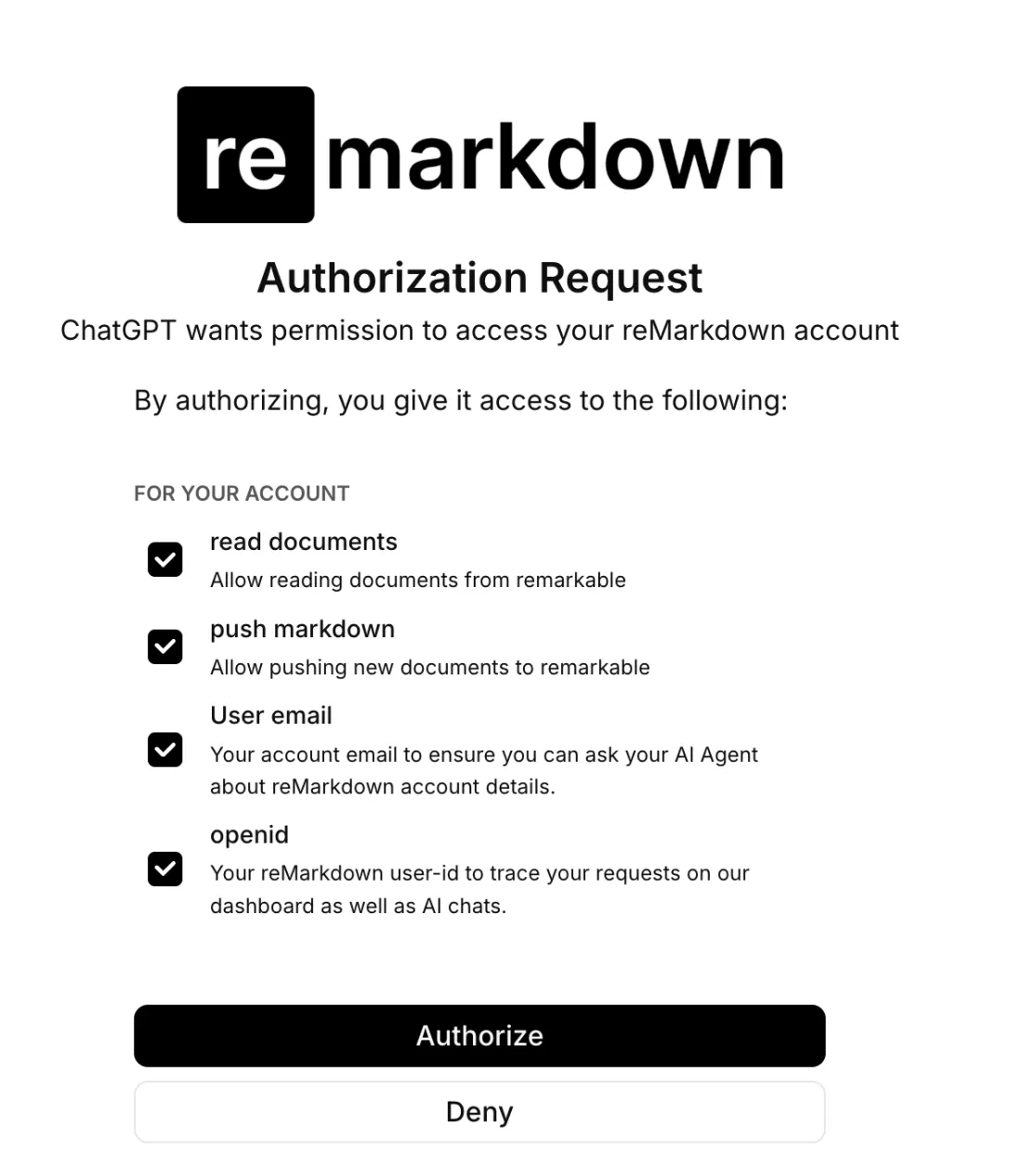
Authorize to grant access. -
That's it. In any chat, press + and pick remarkdown to bring your tablet into the conversation.

Press +, choose remarkdown, then ask.
Available in Developer mode on Plus, Pro, Business, Enterprise, and Edu plans.